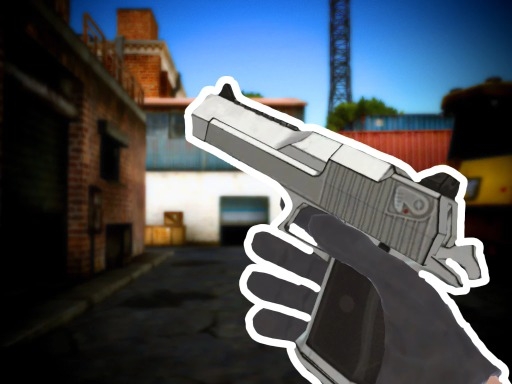
Enjoying FPS Toy Realism?
Join our community to rate games and chat with other players!Description
Get ready for an amazing adventure in FPS Toy Realism! Join exciting team battles on a huge 12x12 map where every shot feels super real and thrilling. With awesome shooting mechanics, you'll feel like a true hero! Before the fight, pick your favorite weapons and customize them just like in popular shooter games. Need help? Grab medkits to heal up or rockets to blast enemies away. Let's show them what you've got!
How to Play
Hey, little warrior! Here's how to play FPS Toy Realism:
Keyboard:
- Use WASD to move around.
- M2 to aim carefully.
- M1 to shoot!
- Press T to check your cool weapon.
- J to close the helper.
- Spacebar to jump high.
- TAB to see scores.
- P to open the menu.
- 1-2 to switch weapons.
- Q and E to change your position.
Mobile devices:
- Tap buttons to control.
- Auto-shoot when aiming or tap the shoot button!
Have fun and aim true!
Keyboard:
- Use WASD to move around.
- M2 to aim carefully.
- M1 to shoot!
- Press T to check your cool weapon.
- J to close the helper.
- Spacebar to jump high.
- TAB to see scores.
- P to open the menu.
- 1-2 to switch weapons.
- Q and E to change your position.
Mobile devices:
- Tap buttons to control.
- Auto-shoot when aiming or tap the shoot button!
Have fun and aim true!
Tips
- Reload your firearm while concealed to prevent being vulnerable.
- Position your crosshair at the head level to land crucial headshots in FPS Toy Realism.
- Be attentive to the sound of footsteps to predict enemy movements and positions.
FAQ
- Q What are the fundamental controls in FPS Toy Realism on RosGames?
-
A On RosGames, FPS Toy Realism uses WASD or arrow keys for movement and the mouse cursor for aiming and shooting. Number keys are used to switch weapons, and the R key reloads your magazine when it's empty.
- Q How can I enhance my shooting precision in FPS Toy Realism on RosGames?
-
A To improve your aim in FPS Toy Realism on RosGames, aim for head-level crosshairs and stand still for a brief moment while shooting to minimize recoil. Upgrade your weaponry and train in the practice modes to master the shooting techniques.



Comments