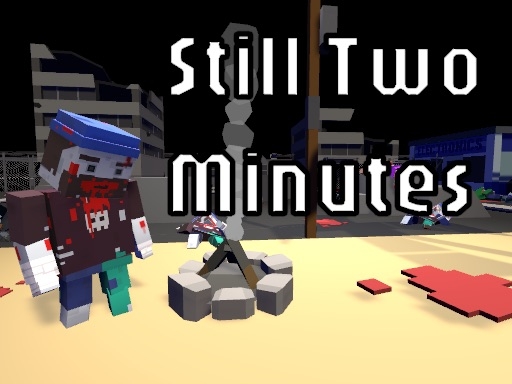
Enjoying The Walking Deadblocks?
Join our community to rate games and chat with other players!Description
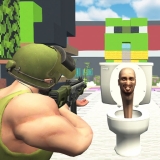
Get ready for an exciting adventure in 'The Walking Deadblocks'! Join your friends in a fast-paced, cooperative survival game where you battle waves of silly zombies across day and night. Collect resources, unlock new maps, and use special character powers to survive as long as you can. Watch out! Nights get trickier with more zombies popping up, so use your generators and lights wisely. Can you outsmart the zombies and become the ultimate survivor?
How to Play
• Single Player Mode:
o Move: W, A, S, D
o Shoot: SPACE
o Switch Weapons: Q, E, or keys 1-5
• Co-op Mode:
o Player 1:
Move: Arrow keys
Shoot: L
Switch Weapons: Use "," and "."
o Player 2:
Move: W, A, S, D
Shoot: SPACE
Switch Weapons: Use Q and E
o Move: W, A, S, D
o Shoot: SPACE
o Switch Weapons: Q, E, or keys 1-5
• Co-op Mode:
o Player 1:
Move: Arrow keys
Shoot: L
Switch Weapons: Use "," and "."
o Player 2:
Move: W, A, S, D
Shoot: SPACE
Switch Weapons: Use Q and E
Tips
- Reload your firearm while concealed to prevent being vulnerable.
- Be attentive to the sound of footsteps to predict enemy movements and positions.
- Position your crosshair at the head level to land crucial headshots in The Walking Deadblocks.
FAQ
- Q What are the fundamental controls in The Walking Deadblocks on RosGames?
-
A On RosGames, The Walking Deadblocks uses WASD or arrow keys for movement and the mouse cursor for aiming and shooting. Number keys are used to switch weapons, and the R key reloads your magazine when it's empty.
- Q How can I enhance my shooting precision in The Walking Deadblocks on RosGames?
-
A To improve your aim in The Walking Deadblocks on RosGames, aim for head-level crosshairs and stand still for a brief moment while shooting to minimize recoil. Upgrade your weaponry and train in the practice modes to master the shooting techniques.





Comments